


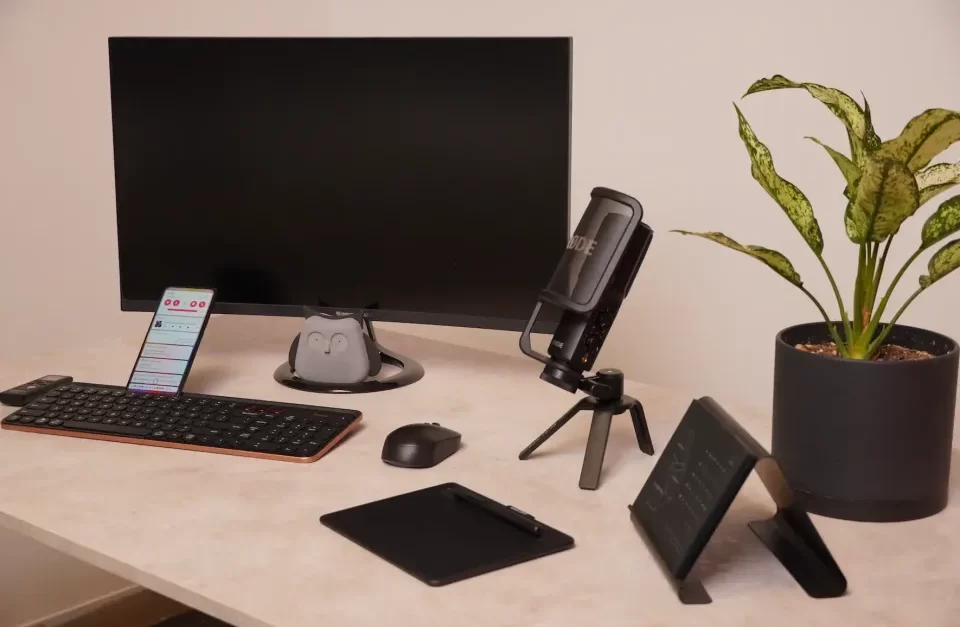
After working remotely for years, I’ve learned that having the right accessories isn’t just a luxury—it’s essential. These aren’t random gadgets; they’re tools I’ve personally used or swear by because they make a real difference in your productivity, comfort, and sanity. Here’s my list of the top 10 computer accessories every remote worker should have.
1. Ergonomic Keyboard and Mouse
Trust me—after endless hours of typing, you’ll feel the difference with an ergonomic setup. My wrists used to ache until I switched to an ergonomic keyboard and mouse. The curved design feels natural, and wrist support makes all-day work so much more comfortable. Plus, wireless options keep my desk tidy.
Favorites I’ve used or loved:
- Logitech MX Master 3 Mouse (smooth scrolling and super customizable)
- Logitech Ergo K860 (super comfortable split design)
- Microsoft Sculpt (great wrist support)
2. External Monitor
One screen isn’t enough—seriously! An external monitor lets you spread out your work, compare documents side-by-side, and reduce eye strain. I can’t imagine editing, researching, or attending meetings without one. Plus, a good adjustable stand saves your neck and back.
Tried-and-true picks:
- LG 27UK850-W 4K Monitor (crisp and beautiful colors)
- Dell UltraSharp U2723QE (sharp and reliable)
- ASUS ProArt Display PA278CV (awesome for creatives)
3. Laptop Stand
Do your neck and shoulders a favor—get a laptop stand. It lifts your screen to eye level and helps with posture. I’ve also noticed my laptop stays cooler with better airflow, which helps it last longer.
Great options I recommend:
- Rain Design mStand (sleek and sturdy)
- Roost Laptop Stand (portable and adjustable)
- Nulaxy Ergonomic Stand (budget-friendly and solid)
4. Noise-Canceling Headphones
Zoom calls, barking dogs, construction noise—you name it. Noise-canceling headphones are lifesavers. I’ve used them to block out distractions and stay focused during meetings or deep work sessions. The built-in mic also makes a huge difference in call quality.
Can’t-go-wrong choices:
- Sony WH-1000XM5 (best noise cancellation)
- Bose QuietComfort 45 (super comfortable for long calls)
- Apple AirPods Max (great for Mac users)
5. Webcam and Ring Light
If you’re on video calls a lot, a good webcam and lighting setup is a game changer. I learned this the hard way after showing up in blurry, poorly-lit meetings. With a solid webcam and ring light, you’ll look sharp and professional every time.
Personal recommendations:
- Logitech Brio Ultra HD (sharp video with great color)
- Razer Kiyo Pro (built-in light is handy)
- Neewer 10″ Ring Light (affordable and adjustable)
6. External Hard Drive or SSD
Losing important files is a nightmare—so back them up! I use an external SSD for lightning-fast backups and peace of mind. SSDs are more durable than hard drives, and they save me time when transferring large files.
Reliable choices I trust:
- Samsung T7 Portable SSD (fast and compact)
- Seagate Backup Plus Slim (great value for money)
- WD My Passport SSD (durable and speedy)
7. USB Hub or Docking Station
Working with multiple devices? A docking station is a must. It lets you connect your monitor, keyboard, external drives, and more—all through one cable. It’s a huge desk upgrade that keeps your space neat and productive.
Hubs I’ve used and recommend:
- Anker PowerExpand 13-in-1 (tons of ports)
- CalDigit TS4 Thunderbolt Station (premium and powerful)
- Plugable USB 3.0 Universal Dock (affordable and reliable)
8. Mechanical Keyboard
Once you try a mechanical keyboard, you’ll never want to type on anything else. The tactile feedback is so satisfying, and these keyboards are built to last. I love customizing mine with different switches for a perfect typing feel.
Tried-and-true picks:
- Keychron K6 (wireless and affordable)
- Das Keyboard 4 (simple, solid build)
- Corsair K70 RGB Pro (perfect for gaming and work)
9. Desk Mat with Wireless Charging
A good desk mat keeps your space organized and protects your desk from scratches and coffee spills (trust me, I’ve had a few). The built-in wireless charger is a huge bonus—no more hunting for cables when my phone dies mid-Zoom call.
Solid desk mats I recommend:
- Logitech Studio Series Desk Mat (sleek and soft)
- Hard Cider Labs SliceCharge Pro (wireless charging included)
- Knodel Desk Pad Protector (affordable and stylish)
10. Surge Protector with USB Ports
This one is a must-have. I once lost a power strip (and a charger) during a power surge—never again. Now, I use a surge protector with USB ports to protect my devices and keep everything charged without needing extra adapters.
Reliable picks:
- Belkin Power Strip Surge Protector (lots of outlets)
- Anker PowerPort Strip PD 2 Mini (compact and powerful)
- APC SurgeArrest Essential (trusted brand for protection)
Final Thoughts
These aren’t just accessories—they’re essentials that have made my remote work life easier, more productive, and more comfortable. Whether you’re just starting out or looking to upgrade your home office, these tools are absolutely worth the investment. Once you’ve used them, you’ll wonder how you ever worked without them.
Get more Info: Computer Accessories
We’re just a message away—WhatsApp @ +92 346-240-9866